StarHopper: One-tap VPN for Android with built-in diagnostics
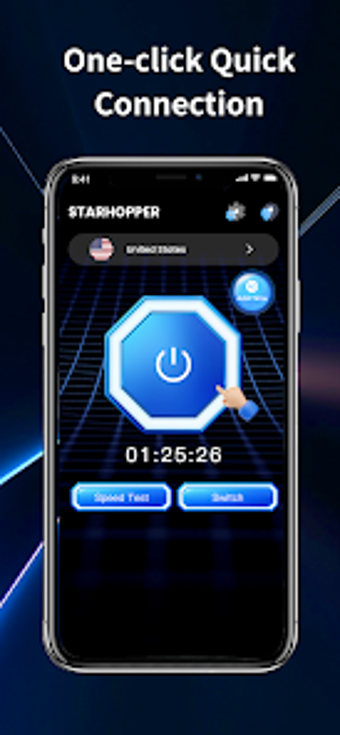
Experience StarHopper from Satmatha Bazar, a utility that creates device-level VPN tunnels using Android VpnService to protect mobile traffic. The app offers one-tap connect/disconnect, a global server list, and persistent session notifications for clear session control. Integrated network diagnostics include speed tests, IP lookup, and real-time session metrics. Android users seeking a straightforward VPN plus in-app network diagnosis get immediate value from minimal configuration and visible connection status.
What does StarHopper actually do?
StarHopper is a VPN manager that establishes a protected tunnel at the device level by using the Android VpnService API, so all traffic from the device routes through the selected node. The app provides a server list for switching nodes, a single-button Connect action to start a session, and a persistent foreground notification that keeps the session visible in the status bar.
Does it affect device operation during an active session?
The app reports real-time connection status, duration, and session details while running a VPN tunnel, which implies continuous background activity. In addition, integrated speed testing runs against the active connection so users can measure throughput without leaving the app. These behaviors indicate active resource use while connected, but the app’s design keeps controls accessible through the persistent notification.
Is StarHopper safe to use on a production device?
StarHopper uses standard Android VpnService protocols rather than modifying system files, which supports transparent operation. The developer’s data safety declaration states the app does not collect user data or share information with third parties, and Android system authorization is required to create the VPN tunnel, preserving built-in permission controls.
Do I need technical knowledge to operate the app?
The app favors a tool-first workflow with minimal configuration, offering one-tap connection and built-in IP display and speed tests that present results directly. Casual users can initiate a session by selecting a node and tapping Connect, while more technical users can use the diagnostic tools to evaluate connection quality and identify routing issues.
Practical choice for straightforward VPN use, with one notable limitation
StarHopper is a practical option for Android users who need quick VPN access combined with in-app diagnostics; it uses Android VpnService, requires system authorization, and shows live session data for transparency. The main caveat is that its diagnostic focus may not substitute for advanced configuration or enterprise-grade controls, so those needing granular routing or policy management should look elsewhere.